01
Incoming moment
Use case · Dealerships and service teams
An hiify.ai agent can collect vehicle and contact details, answer dealership questions from approved sources, book a supported appointment, and route the call to sales or service.
From first hello to handoff
Each part is visible in the builder. You decide what the agent asks, which source it trusts, what connected action it can take, and when a person takes over.
Incoming moment
What the agent understands
What it can do
Human handoff
Vehicle diagnosis, pricing decisions, financing, availability confirmation, and other judgment calls go to dealership staff.
Not a promise of automatic outcomes. A clearer path from an incoming request to the next accountable step.
Sales, service, and general requests can follow separate intake paths.
Visible in the workflowThe selected calendar receives the caller and request details captured by the flow.
Visible in the workflowThe agent routes technical, pricing, and financing questions to the appropriate desk.
Visible in the workflowThese are grounded examples, not live simulations. Each step maps to a builder block you can configure, connect, and publish.
Understand
The agent collects the vehicle, service request, timing, and contact details.
Act
It offers real slots from the connected provider and books after confirmation.
Hand over
Technical diagnosis and unsupported requests go to a service advisor.
Understand
The agent records the vehicle interest, timing, and contact details without confirming inventory.
Act
It books a sales conversation or transfers to the configured desk.
Hand over
Sales staff handle availability, pricing, financing, and trade-in estimates.
Inside the product
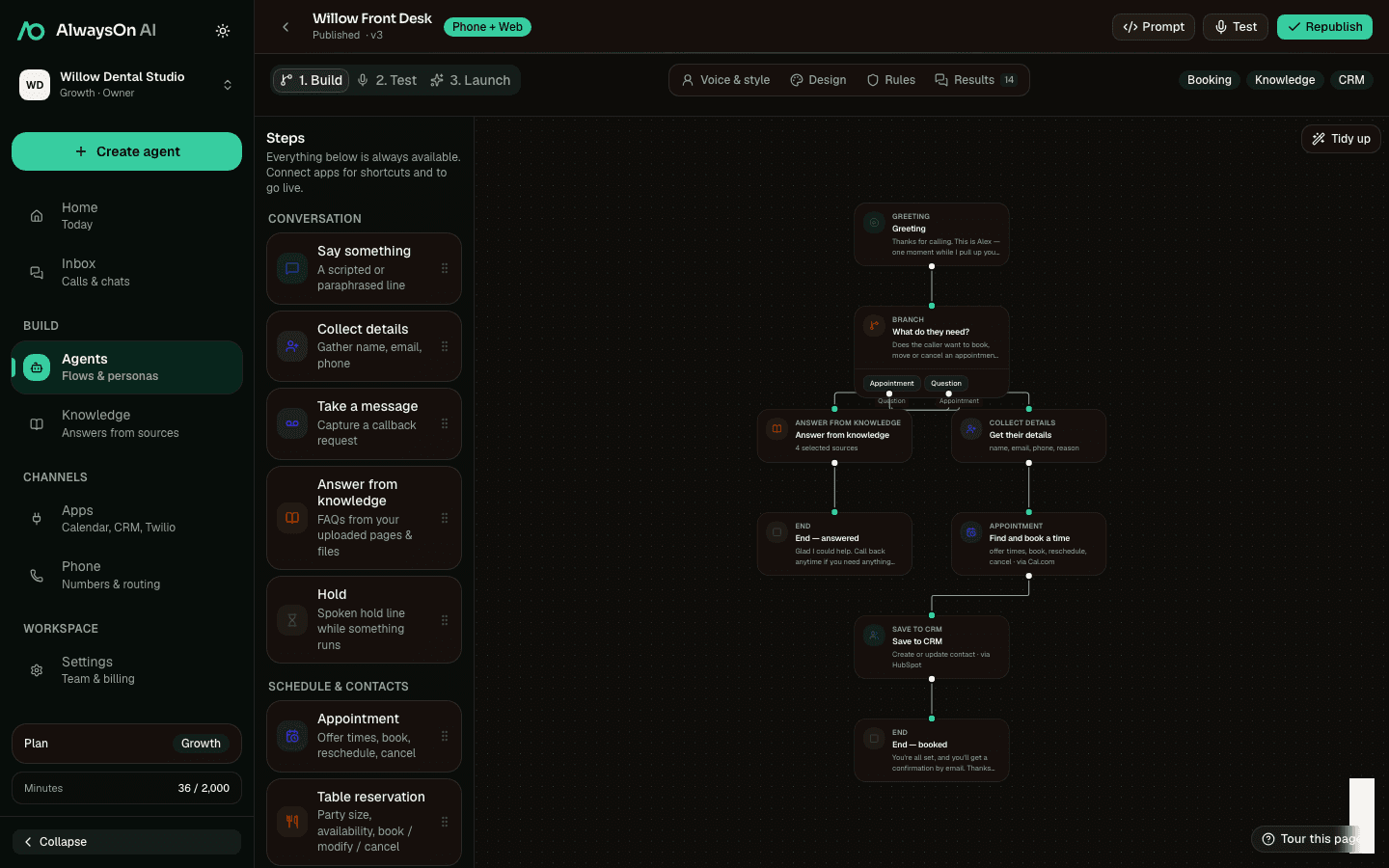
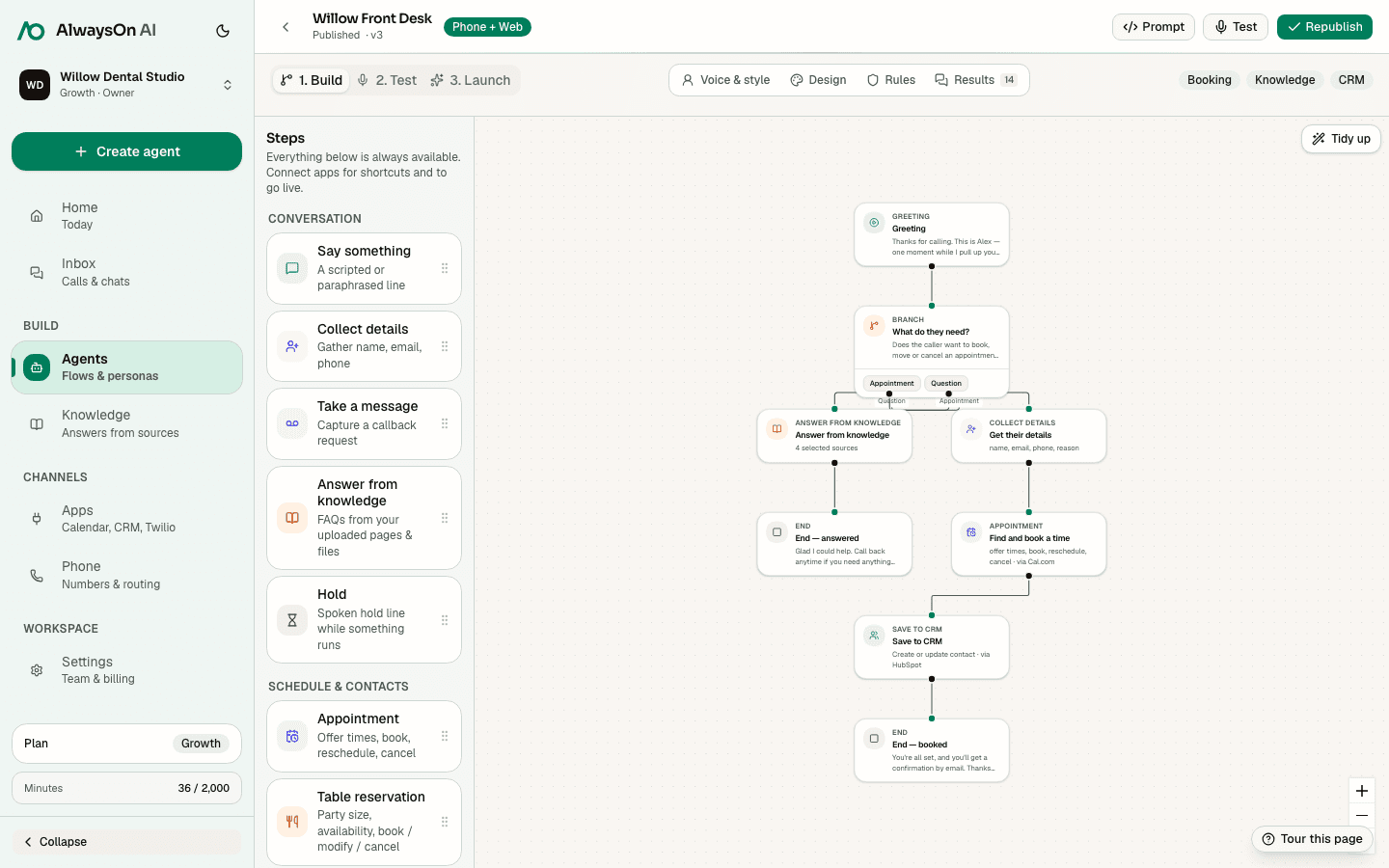
A real product flow can branch service and sales before using different booking, CRM, and transfer steps.
One buildable path · Service appointment
A practical starting set for automotive workflows. Connect only the apps your team uses.
 Cal.comAvailability, booking, changes
 Google CalendarAvailability and calendar events
 HubSpotCRM contact and call context
 SalesforceCRM contact capture
 TwilioPhone numbers and configured SMS
 SlackConfigured team notification
Availability, booking, lookup, changes, cancellation, and waitlist support vary by provider. hiify.ai exposes only the actions supported by the connected provider and enabled in the published flow.
Browse integrationsCompare how another team combines intake, knowledge, connected actions, and human handoff.
Capture job details, book supported visit windows, and notify dispatch.
Capture incident details, answer approved process FAQs, and route coverage questions.
Collect buyer or seller context, answer approved FAQs, and schedule follow-up.
Next step
Start with the incoming moment, add approved knowledge and supported actions, then define the human handoff.